 KnowForge
Apache Hamilton VSCode
 qianmoQ· 更新于 2026-10-09· 阅读 6 分钟· 0 次阅读
Apache Hamilton VSCode
Warning
The Apache Hamilton VSCode extension is an experimental feature under active development. Edge cases, evolving features, and partial documentation are to be expected. Please open a GitHub issue or reach out on Slack for troubleshooting!
The Apache Hamilton VSCode extension enables interactive dataflow development in VSCode. This developer productivity tool helps your editor understand how Apache Hamilton works (code completion, symbol navigation, etc.). It is powered by the Apache Hamilton Language Server and can be installed directly from the VSCode marketplace.
Features
Dataflow visualization
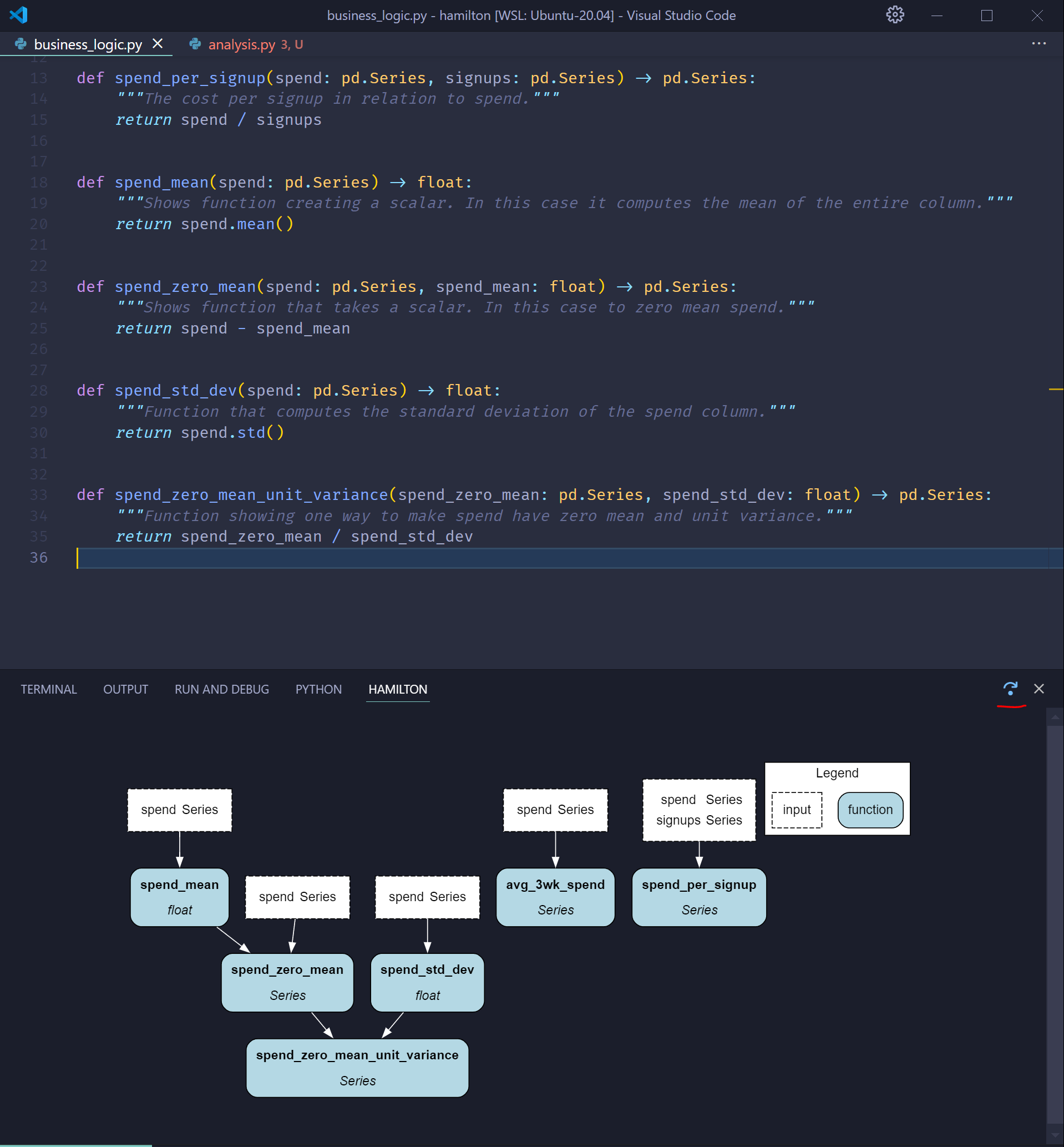
Visualize the dataflow defined in the current Python file. As you type and add functions, the visualization automatically updates. There is a UI button to rotate the visualization 90-degree.
Note
We suggest moving the visualization tab to the VSCode panel (CTRL+J) or the secondary sidebar (CTRL+ALT+B) by drag-and-dropping the tab.
Completion suggestions
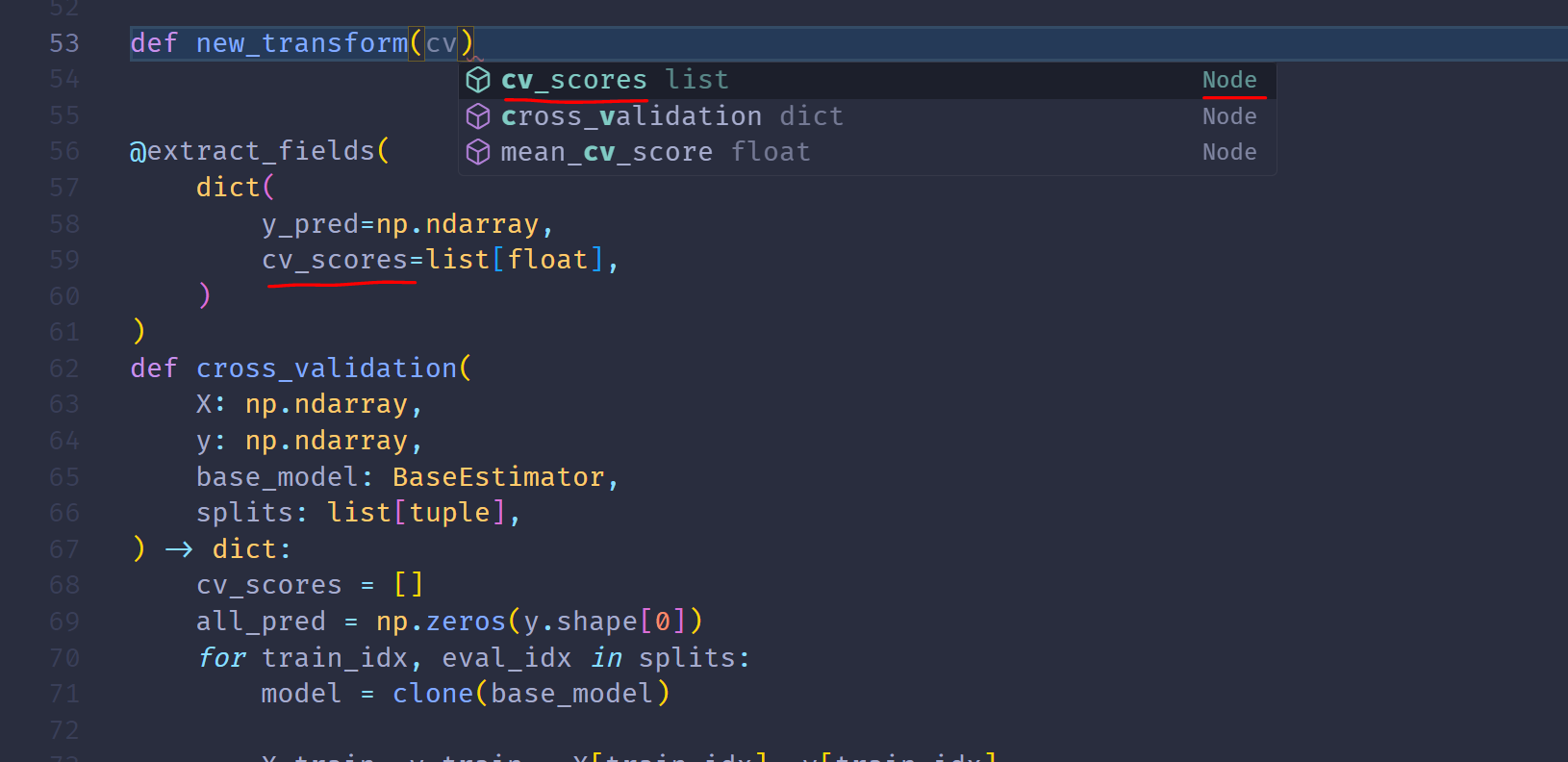
Get completion suggestions when defining new nodes. It will even insert the appropriate type when selected! Completion suggestions have the Node type and can even display their docstring when hovered over.
Outline
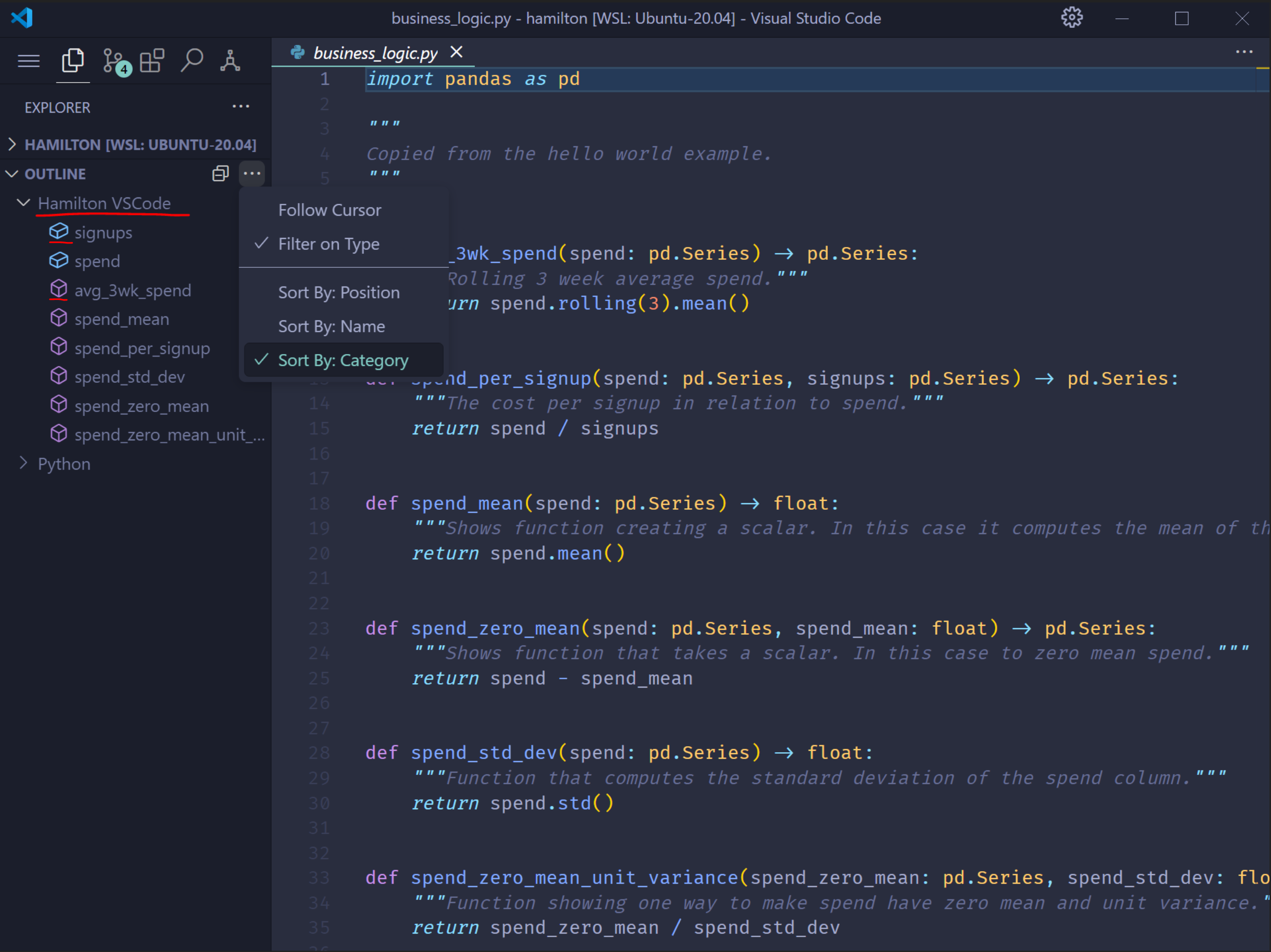
The OUTLINE menu now displays a Apache Hamilton VSCode entry. Nodes and inputs from the current Python file are listed and denoted by distinct icons.
Extension walkthrough
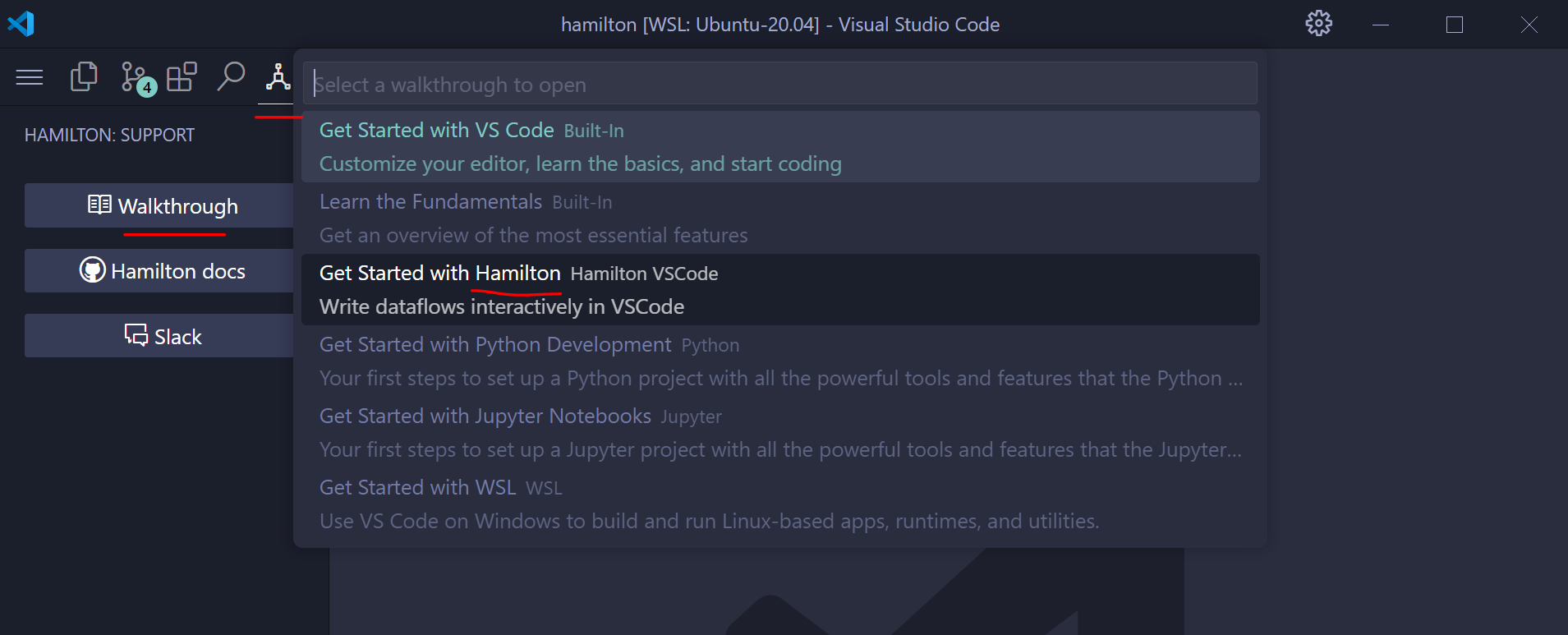
Under the Apache Hamilton menu (the icon at the top), you can find a list of buttons. Selecting Walkthrough and then Get started with Apache Hamilton will launch an interactive menu to get you set up along with some tips.
Note
Some of this content may become outdated since the extension is evolving quickly.
Roadmap
There are many features that we’d be interested in implementing. Let us know on Slack your favorite ones!
- Go To Definition: jump to where the node defined
- Go To References: jump to where the node is a dependency
- Rename: rename a node across locations (can be tricky when mentioned in a decorator)
- Support dataflows spanning multiple modules
- Configure the visualization (i.e., match the Python features)
- Integrate with the Apache Hamilton UI (e.g., click a node to open it’s Apache Hamilton UI page and see execution details)
- Visualize notebook cells using the Apache Hamilton Jupyter extension (seems possible)
评论
登录后参与评论