 KnowForge
Docker
 qianmoQ· 更新于 2026-09-23· 阅读 11 分钟· 0 次阅读
Apache Ozone can be quickly deployed using Docker Compose, making it ideal for development, testing, and evaluation purposes. This guide walks you through setting up a multi-node Ozone cluster using pre-built Docker images.
Prerequisites
- Docker Engine - Latest stable version
- Docker Compose - Latest stable version
Running Ozone
Obtain the Docker Compose Configuration
First, obtain Ozone's sample Docker Compose configuration:
curl -O https://raw.githubusercontent.com/apache/ozone-docker/refs/heads/latest/docker-compose.yamlStart the Cluster
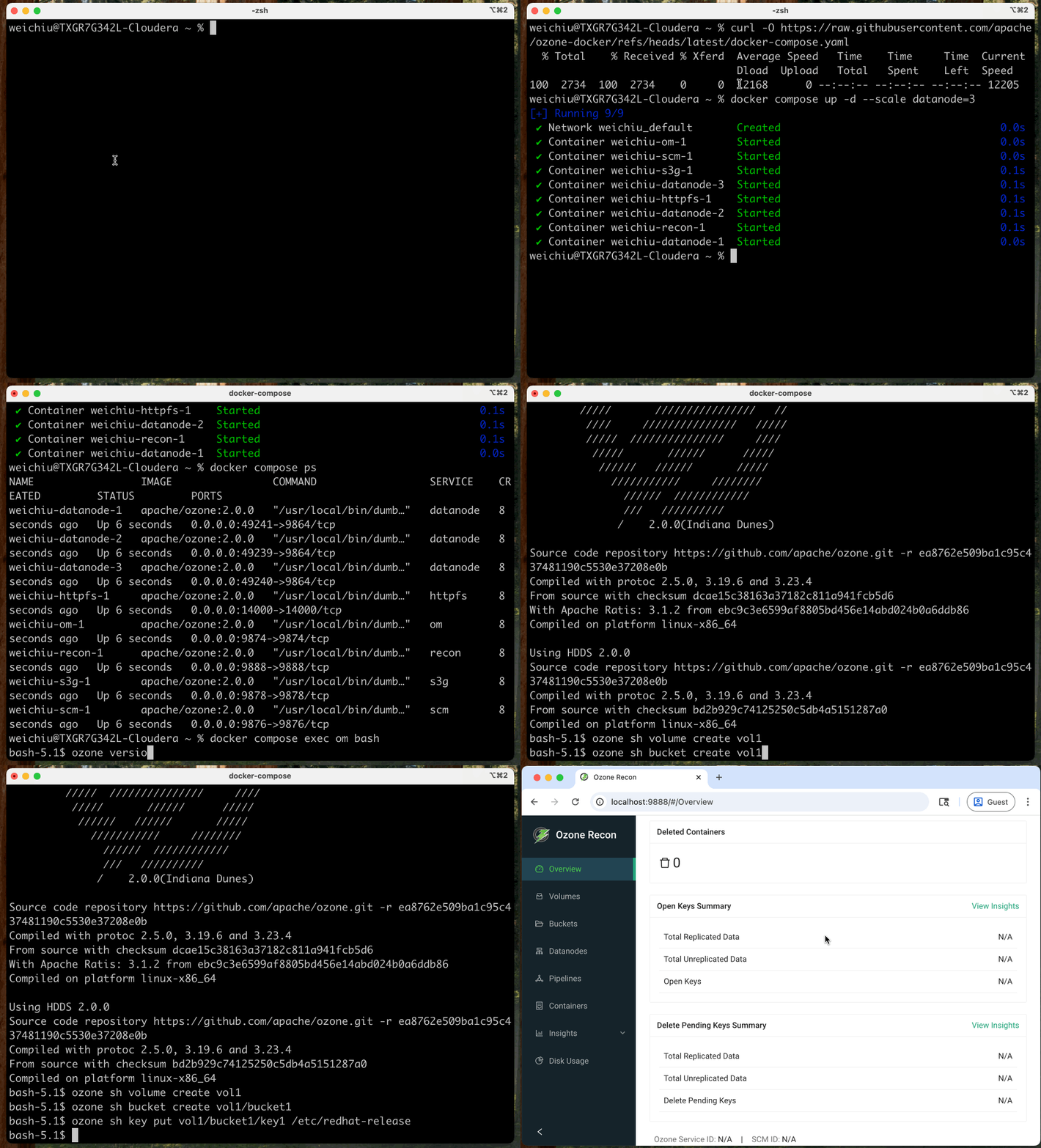
Start your Ozone cluster with three Datanodes using the following command:
docker compose up -d --scale datanode=3This command will:
- Automatically pull required images from Docker Hub
- Create a multi-node cluster with the core Ozone services
- Start all components in detached mode
Verify the Deployment
Check the status of your Ozone cluster components:
docker compose psYou should see output similar to this:
NAME                IMAGE                      COMMAND                  SERVICE    CREATED          STATUS          PORTS

docker-datanode-1   apache/ozone:1.4.1-rocky   "/usr/local/bin/dumb…"   datanode   14 seconds ago   Up 13 seconds   0.0.0.0:32958->9864/tcp, :::32958->9864/tcp

docker-datanode-2   apache/ozone:1.4.1-rocky   "/usr/local/bin/dumb…"   datanode   14 seconds ago   Up 13 seconds   0.0.0.0:32957->9864/tcp, :::32957->9864/tcp

docker-datanode-3   apache/ozone:1.4.1-rocky   "/usr/local/bin/dumb…"   datanode   14 seconds ago   Up 12 seconds   0.0.0.0:32959->9864/tcp, :::32959->9864/tcp

docker-om-1         apache/ozone:1.4.1-rocky   "/usr/local/bin/dumb…"   om         14 seconds ago   Up 13 seconds   0.0.0.0:9874->9874/tcp, :::9874->9874/tcp

docker-recon-1      apache/ozone:1.4.1-rocky   "/usr/local/bin/dumb…"   recon      14 seconds ago   Up 13 seconds   0.0.0.0:9888->9888/tcp, :::9888->9888/tcp

docker-s3g-1        apache/ozone:1.4.1-rocky   "/usr/local/bin/dumb…"   s3g        14 seconds ago   Up 13 seconds   0.0.0.0:9878->9878/tcp, :::9878->9878/tcp

docker-scm-1        apache/ozone:1.4.1-rocky   "/usr/local/bin/dumb…"   scm        14 seconds ago   Up 13 seconds   0.0.0.0:9876->9876/tcp, :::9876->9876/tcp
Check the Ozone version
docker compose exec om bash

ozone version
Access the Ozone Recon server, which provides monitoring and management capabilities by navigating to the Recon server home page.
Configuration
You can customize your Ozone deployment by modifying the configuration parameters in the docker-compose.yaml file:
- Common Configurations: Located under the
x-common-configsection - Service-Specific Settings: Found under the
environmentsection of individual services
As an example, to update the port on which Recon listens to, append the following configuration:
x-common-config:

  ...

  OZONE-SITE.XML_ozone.recon.http-address: 0.0.0.0:9090
Refer to the Configuring Ozone For Production page for more configuration guidelines.
Next Steps
Now that your Ozone cluster is up and running, you can enter any container and explore the environment.
docker compose exec om bashNext, learn how to read and write data into Ozone.
评论
登录后参与评论